If you’ve ever rolled your eyes at those annoying cookie banners (and who hasn’t?), we’ve built our own — and we’re giving it away free, forever. No subscriptions, no sign-ups, no “free trial that magically expires.” No strings attached.
Why? Because we’re tired of the hoops, headaches, and downright nonsense that surround cookie consent. We think the web deserves a cookie banner that just works — without shady upsells, spammy emails, or hidden paywalls.
And the best part? It’s ready for Google Consent Mode v2, and it’s (we think) the only free cookie banner that supports Consent Mode v2 without making you pay for it.
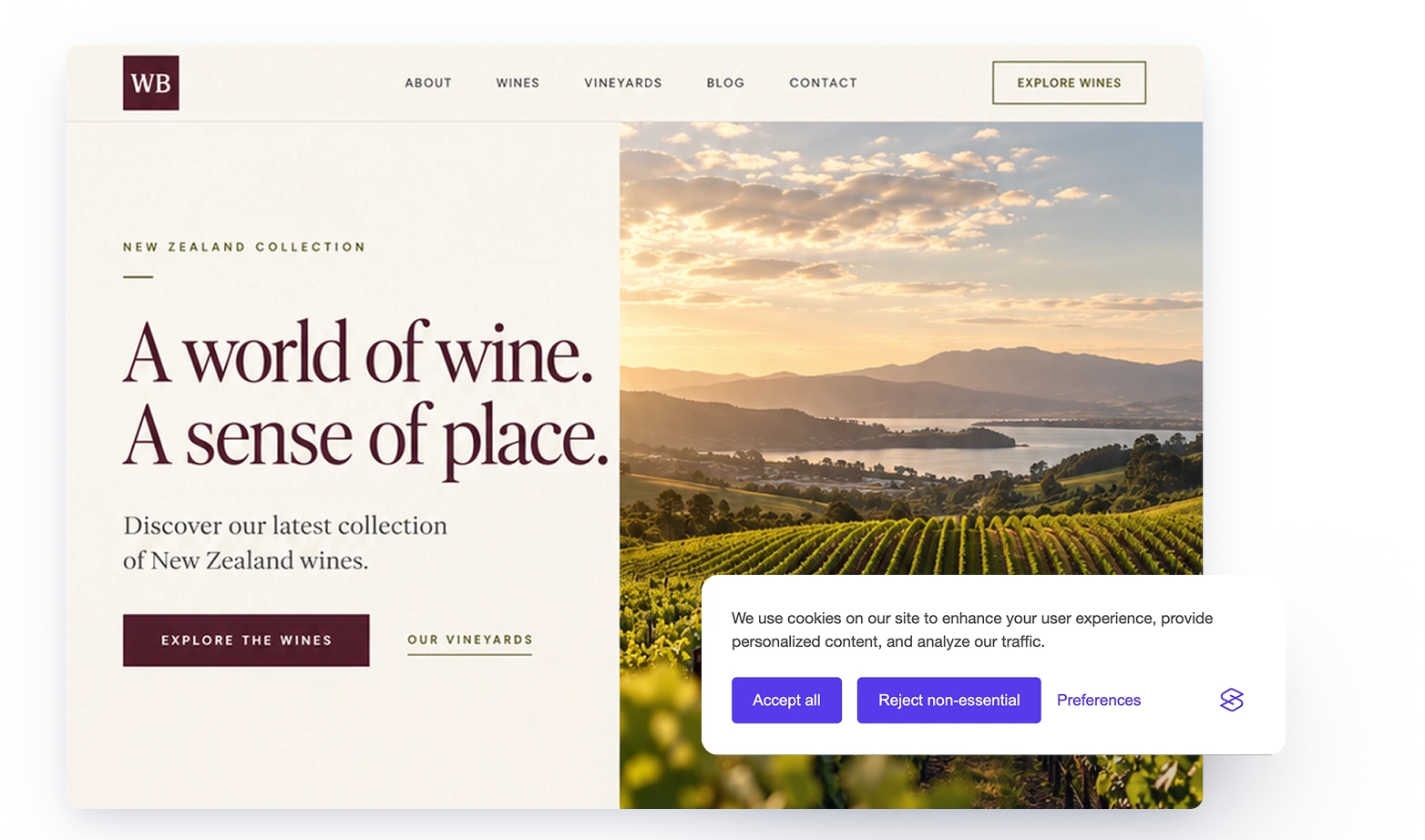
What is a cookie banner and why do you need one?
A cookie banner is a notice that tells visitors what tracking your site uses and asks for their consent before setting cookies. It is required or strongly recommended under privacy laws such as:
- GDPR (General Data Protection Regulation – EU and UK)
- ePrivacy Directive (EU Cookie Law)
- CCPA (California Consumer Privacy Act)
These laws require website owners to obtain explicit consent before storing or accessing non-essential cookies. Without one, you risk legal penalties, loss of user trust, and being cut off from Google’s advertising and analytics tools.
What is Google Consent Mode v2?
Google Consent Mode v2 is an update designed to align websites with stricter GDPR and Digital Markets Act (DMA) regulations. It introduces new parameters for consent signals that ensure platforms like Google Ads, Google Analytics, and Google Tag Manager respect user preferences.
Key changes in Consent Mode v2:
- Expanded consent signals – users have more granular control over what data is collected.
- Stronger enforcement – Google now mandates compliance to access features like personalized ads and audience measurement.
- Impact on advertising – without Consent Mode v2, you’ll lose access to features like modeled conversions, personalized advertising, and remarketing audiences.
Consent categories in Google Consent Mode v2
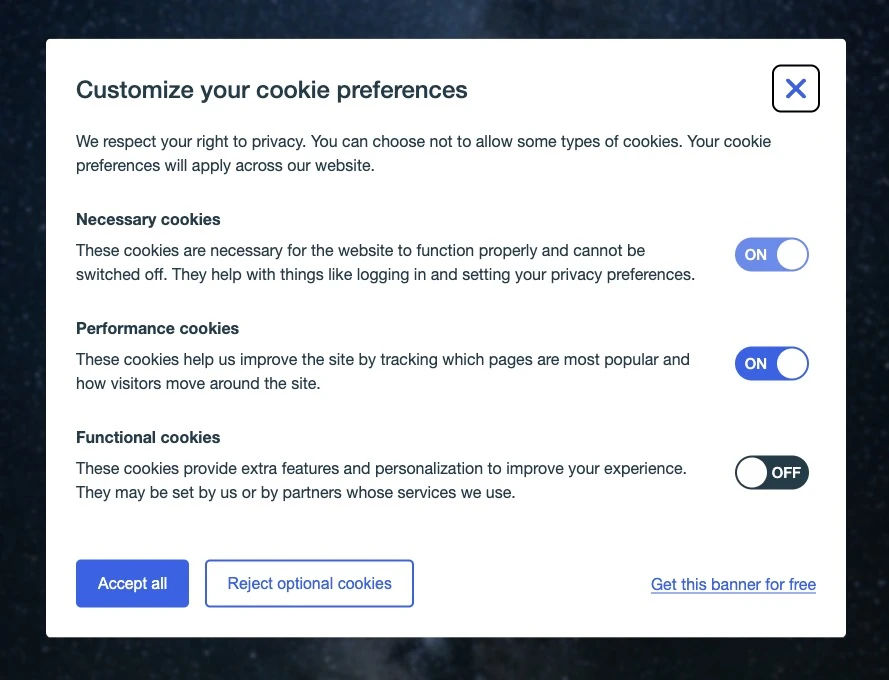
Google Consent Mode v2 defines several signals that the Consent Manager can map to your consent types:
ad_storage– controls storage of advertising data, like Google Ads.analytics_storage– controls storage of analytics data.functionality_storage– controls storage of functional preferences, like language selection.personalization_storage– controls storage for personalized content based on previous interactions.ad_user_data– controls sending user data to Google for advertising.ad_personalization– controls use of data for personalized ads.security_storage– controls storage for security features like fraud prevention.
To comply with Consent Mode v2, websites must present a clear and user-friendly cookie banner that allows visitors to opt in or out of each category.
Why Google Consent Mode v2 is now essentially mandatory for businesses
If your website has visitors from the EU or UK, a cookie banner isn’t optional. Businesses that fail to implement a proper cookie consent solution risk losing access to key Google features — leading to crippled ad campaigns, inaccurate analytics, and potential fines under GDPR.
The “hidden cost” of cookie banners
Most businesses end up paying for a cookie banner, turning compliance into a recurring tax. Nearly all free banners lack Consent Mode v2 support, forcing website owners to pay a monthly fee just to use essential Google tools.
That’s why we built Silktide’s Consent Manager – an open-source, Consent Mode v2-ready banner that’s genuinely free.
Why free and open source matters
1. No more cookie-banner tax
Other providers charge hundreds of pounds a month for what is, fundamentally, a notice with three buttons. Silktide’s Consent Manager is free — no per-page-view fees, no compliance suite upsells, no paywall on Consent Mode v2 support.
2. Open-source transparency
With Silktide’s open-source Consent Manager, you can:
- Audit the code to ensure compliance with legal standards.
- Customize it to match your brand.
- Avoid vendor lock-in, maintaining full control over your privacy solution.
3. Accessibility-first design
We’ve baked in accessible defaults so you’re not stuck tinkering with the code, hoping screen readers can interpret your cookie banner correctly.
4. Lightweight and performance-friendly
Many cookie banners slow down websites with unnecessary tracking. Silktide’s Consent Manager is just 53KB of JavaScript and 11KB of CSS — small enough to load before your page renders, without blocking anything else.
5. Future-proofed global compliance
Beyond Consent Mode v2, we keep Silktide’s Consent Manager up to date with evolving privacy laws — GDPR, UK GDPR, the ePrivacy Directive, and CCPA — so you don’t have to track every regulatory change yourself.
How to get started
Getting a Consent Mode v2-ready cookie banner is easy with Silktide:
- Install the banner — no sign-up required.
- Customize the wording, colors, and consent types to match your brand.
- You’re done. Stay compliant without thinking about it.
The cookie law itself might not be perfect, but the banners we’re forced to endure shouldn’t make things worse. Our forever-free cookie banner is our way of saying “enough with the nonsense” and taking a stand for a better web.
Ready to finally have a free, full-featured cookie banner you don’t resent? Download it here and help us put an end to the “bait-and-switch” approach once and for all.